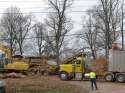
Here's yor tweak, Dodge. Couldn't do much with it except despeckle it and defog it a bit. Whenever you shoot an object, that has a lighter background than the object itself, the object you are trying to photograph appears as a silhouette. It is best, whenever possible to photograph a bird against a background that is DARKER than they are. To get a picture of the bird against the sky, you need to catch the light hitting the bird from UNDERNEATH the bird and BEHIND the camera. That way all the details show up well on the bird. Otherwise, great job, Dodge.
Kingdoms RAGE and go to war...but the PEasants plant potatoes..
EARTH FIRST! (we'll strip-mine the OTHER planets later.)
You defog in Photoshop by using a combination of SEVERAL elements. First you use the SHARPEN filter to sharpen the details, then you use choose the NOISE and then DESPECKLE filter to remove the graininess, pixelation, and speckling. Then you go to IMAGE, Adjustments, then click Auto Levels and then Auto Contrast. Then go to Shadows and Highlights under adjustments and use these to brighten and/or darken the photo. Finally, Under Image- Adjustments, choose EXPOSURE and use Exposure, Offset, and Gamma to further adjust the picture.
It's all subjective. Just adjust the picture at each of these stages until you get the best looking results, at that stage, to YOU!
Kingdoms RAGE and go to war...but the PEasants plant potatoes..
EARTH FIRST! (we'll strip-mine the OTHER planets later.)
Another important way to defog, is to check your lense FREQUENTLY to make sure it is COMPLETELY clean, polished, and free of smears and smudges. You can and SHOULD buy special cloths and brushes at camera dealers designed for this purpose, and they are inexpensive. You may want to also buy special filters such as polarizing and UV filters made for your camera, IF your camera has some designed for it. they go in front of the lense, PREVENTING it from getting dirty and smudged. They also sharpen color, detail, and focus, and GREATLY reduce glare from bright objects and reflections. I have both of these filters on my camera.
Kingdoms RAGE and go to war...but the PEasants plant potatoes..
EARTH FIRST! (we'll strip-mine the OTHER planets later.)
Shop at Amazon and Support AGF
Are you shopping online? Click this link first and A Gardeners Forum will receive a commission for your
referral at Amazon.com (shopping through this link to Amazon will not have any impact on your prices at Amazon).



![[Linked Image]](http://i23.photobucket.com/albums/b389/Racetowom/LIGHT.jpg)
![[Linked Image]](http://www.agardenersforum.com/images/graphics/buttons/dodge.gif)
![[Linked Image]](http://www.agardenersforum.com/images/graphics/buttons/gardenhelper.jpg)


![[Linked Image from agardenersforum.com]](http://www.agardenersforum.com/images/graphics/buttons/junie.gif)


![[Linked Image]](http://www.agardenersforum.com/images/graphics/buttons/thorny.gif)
![[Linked Image]](http://i14.photobucket.com/albums/a327/Thornius/LIGHTTVDodge.jpg)